CDSL Easi is an online portal that allows investors to view and manage their Demat accounts and securities holdings electronically.
Use these steps to sign up for CDSL Easi: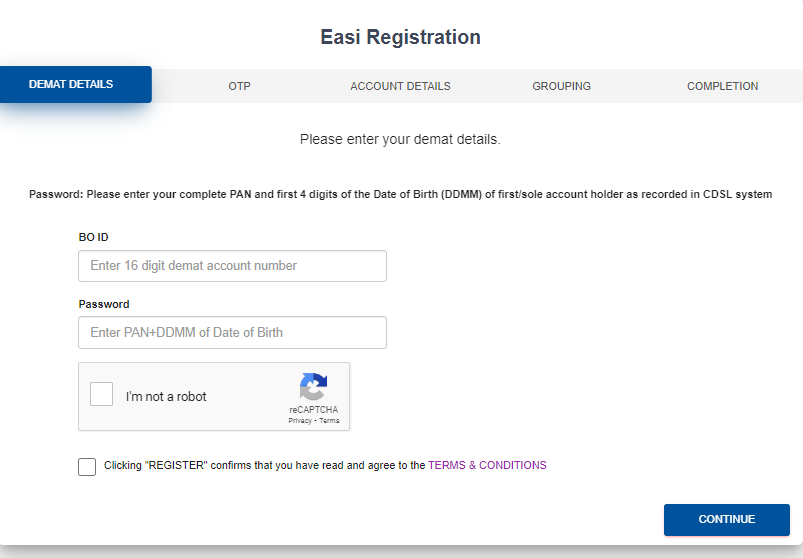
To visit the website, click here: web.cdslindia.com/myeasitoken/home/login
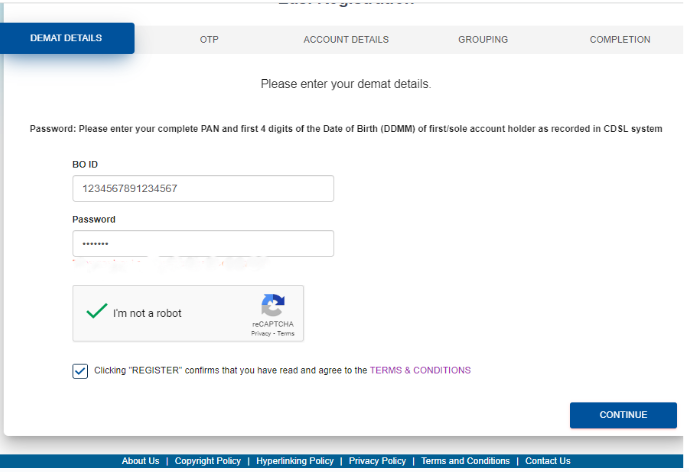
Enter the 16-digit demat ID under "BO ID." In the "Password" field, type your PAN number and date of birth. For Eg: If your date of birth is 2 March 2002, please enter 0203 (only date and month) . Then finally, click "Continue."
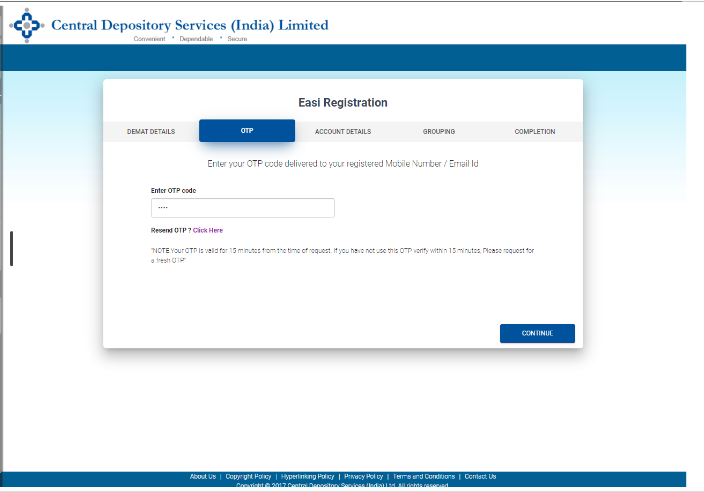
Enter the OTP delivered to the registered email address or mobile number to proceed, then click Continue.
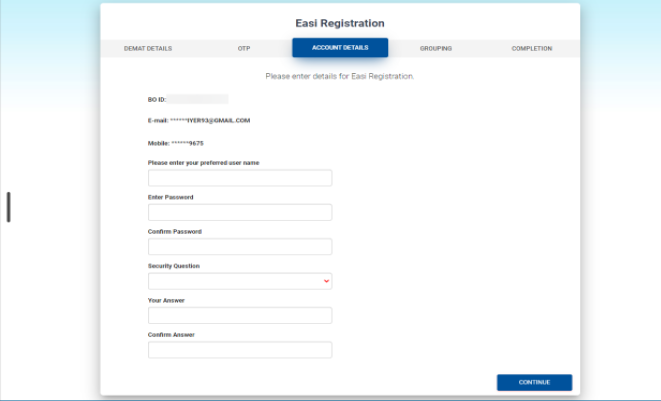
Pick a username you prefer, set a password, and choose a security question. Provide an answer to the security question as well.
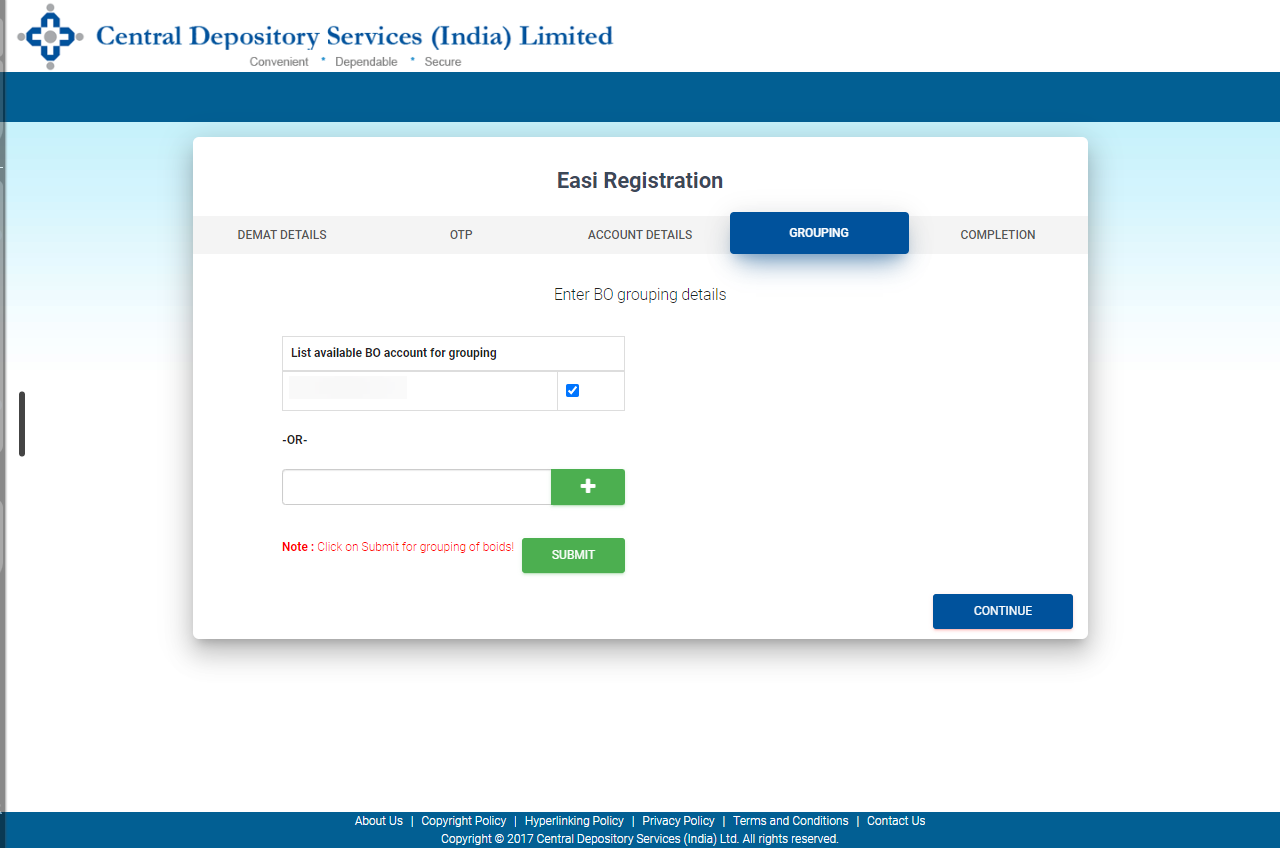
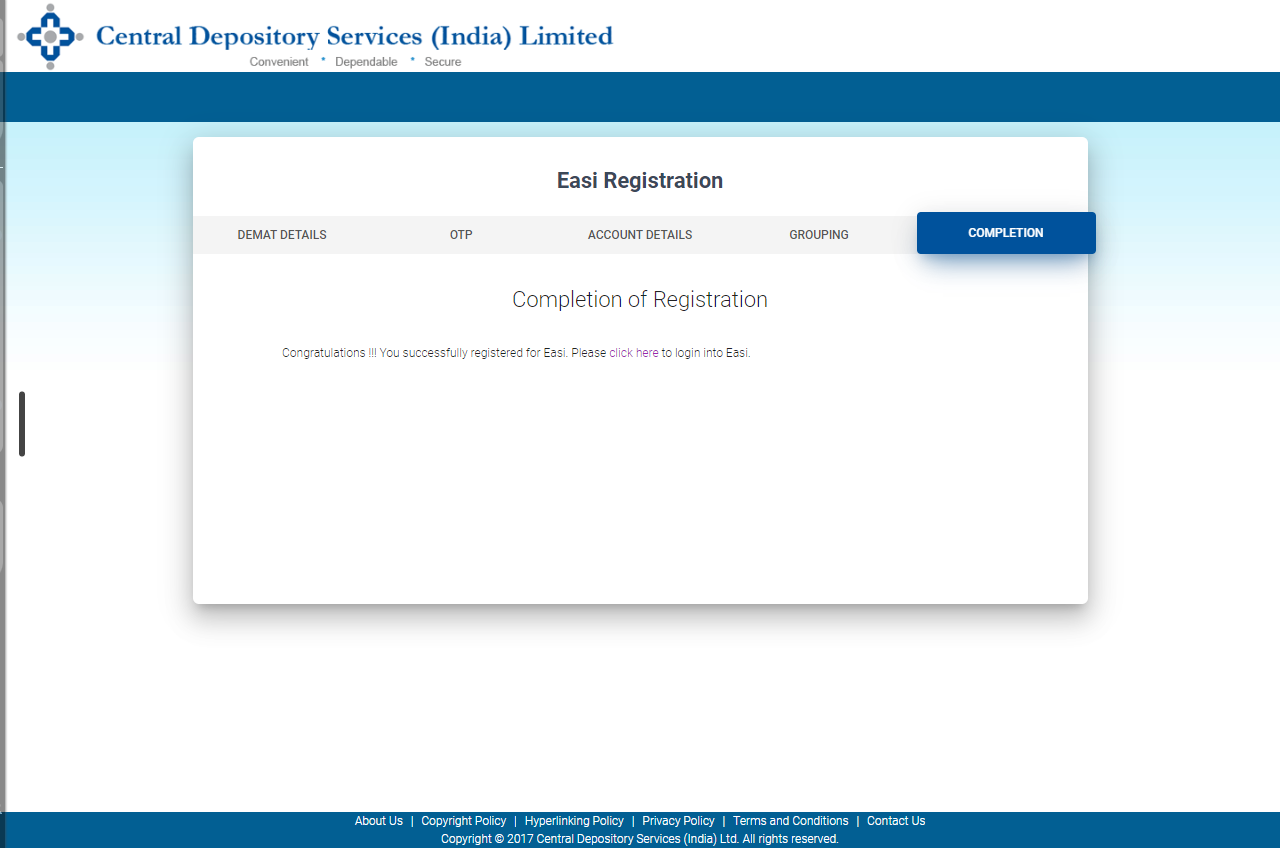
The demat IDs of the various accounts can be input and grouped if the same account holder holds them and there are numerous demat accounts. One user ID can access several demat accounts by combining the demat IDs. The registration will be completed after you click Continue.
Now that we know what CDSL Easi is, Let's dive into CDSL Easiest.
CDSL's online tool, Easiest, allows Clearing Members (CMs) of Beneficial Owners (BOs) to submit different types of debit instructions directly from their demat account. These instructions can be for off-market, on-market, between other depositories, or early pay-in transactions.