Greetings, fellow Upstox user! Have you ever considered the process of obtaining the crucial Client Master Report (CMR)? You're in luck because we have comprehensive guidance for you. Your CMR is the roadmap to your trading and demat accounts; acquiring it is straightforward. Let's go through the steps together.
To request a CMR from Upstox, follow the steps below.
Step 1: Log in to the Upstox app using your 6-digit PIN or Biometrics.
Step 2: Tap on 'Account' located at the bottom of the screen.
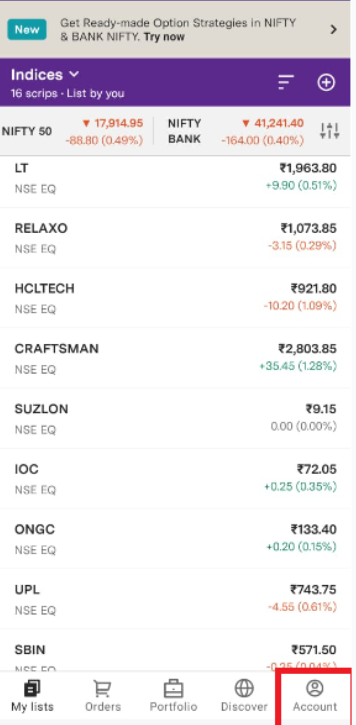
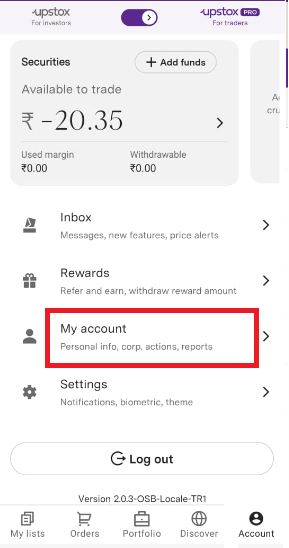
Step 3: Tap on ‘My Account’
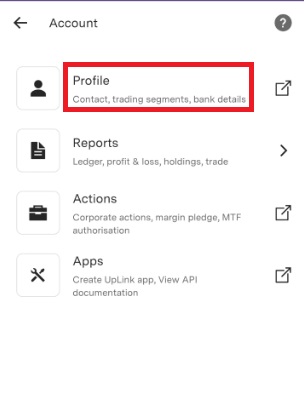
Step 4: Go to ‘Profile’
Step 5: Tap on ‘Documents’
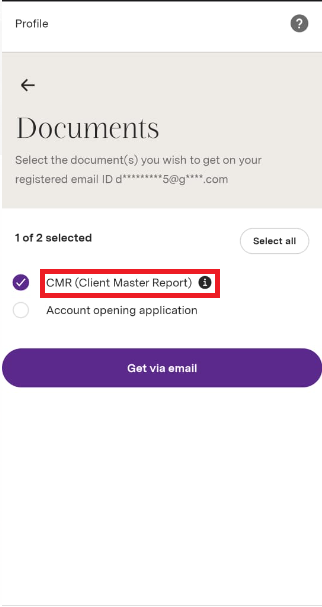
Step 6: Choose "CMR (Client Master Report)" to have it sent to your registered email address.
Step 7: Select 'Get via email'.
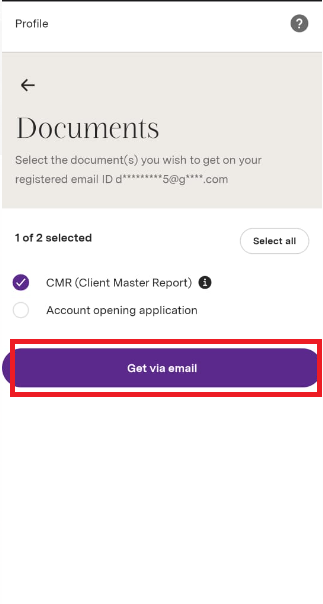
Note: You will receive your CMR successfully via email.
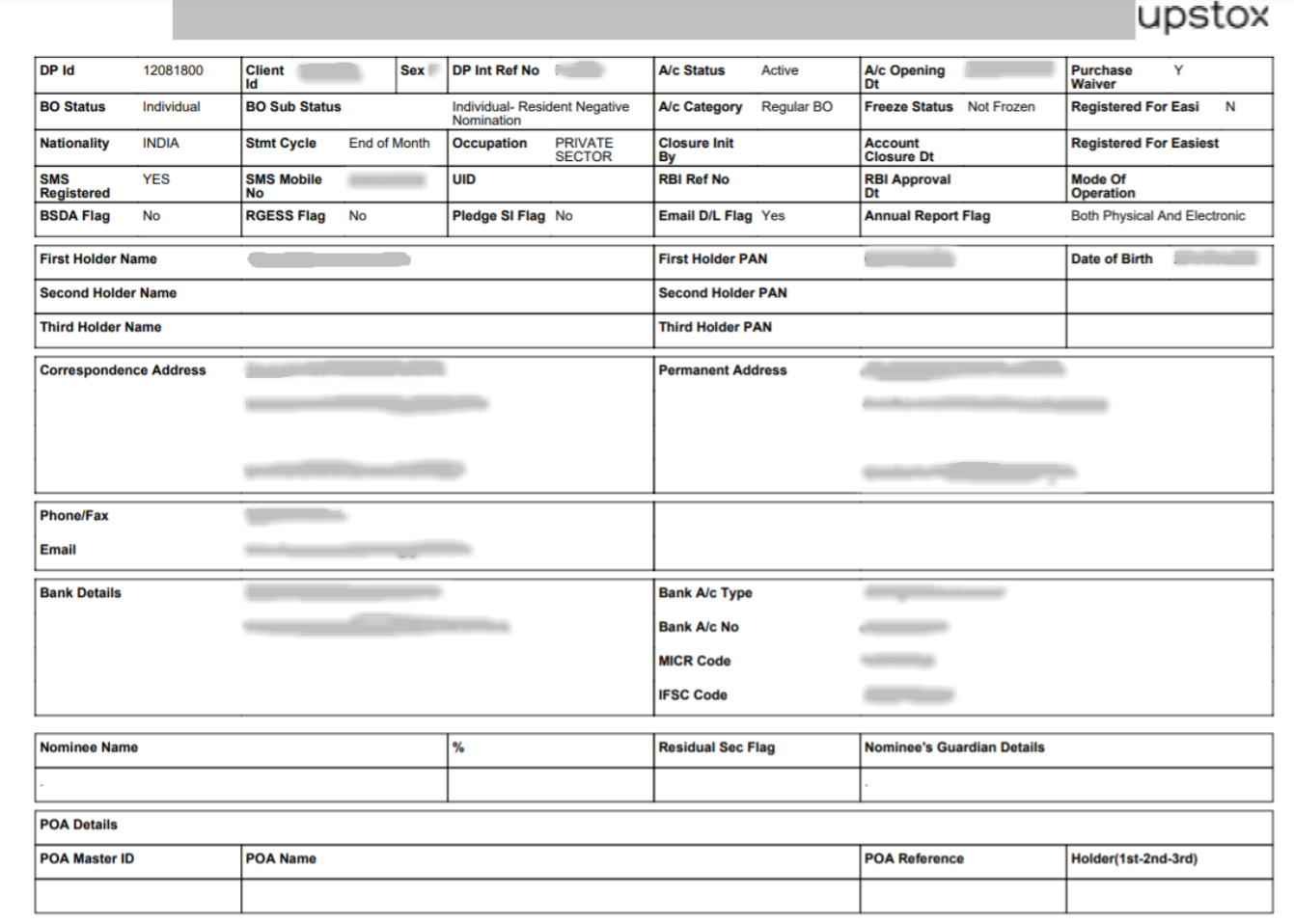
Obtaining your Client Master Report (CMR) from Upstox is a straightforward process. This document acts as your financial guide for record-keeping. Simply follow these steps, and your CMR will be readily accessible and poised to assist whenever required. 🚀💰😄
Check out our blog post "What is CML/CMR and how to get it?" for an in-depth look into CMR.