CDSL Easiest, a user-friendly online platform offered by India's Central Depository Services Limited (CDSL), empowers investors to seamlessly access, manage, and transact with their dematerialized securities holdings.
How to register for CDSL Easiest using a demat account?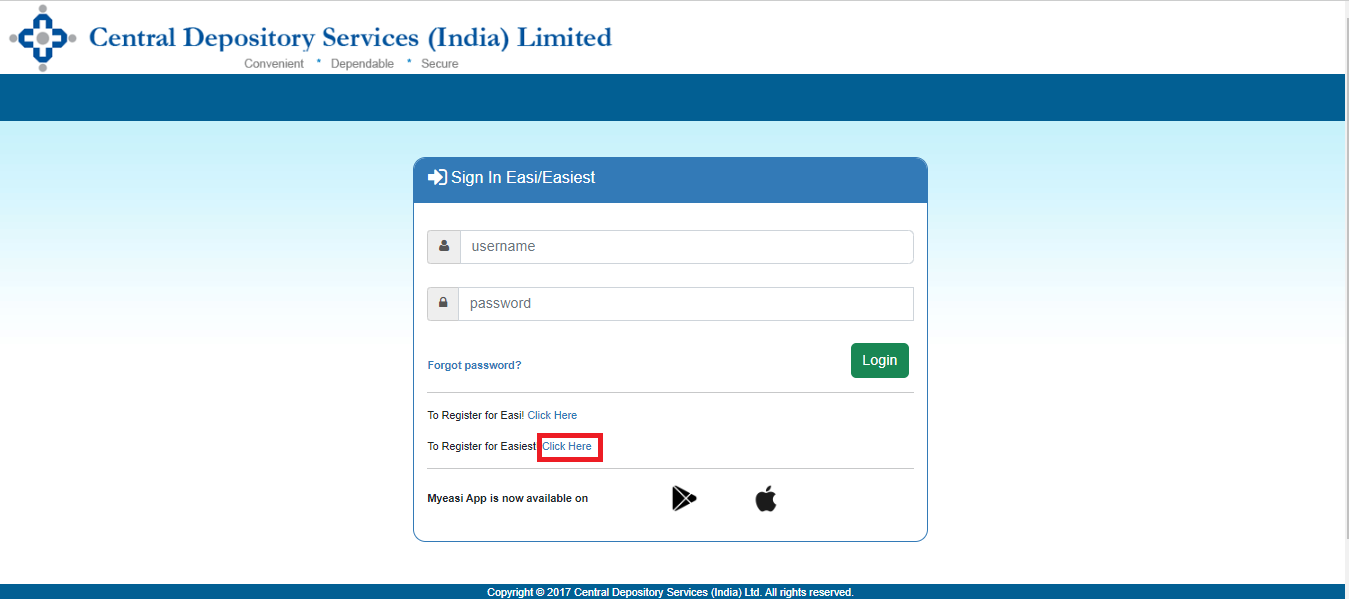
1. Go to web.cdslindia.com/myeasitoken/home/login and click on "To Register for Easiest." 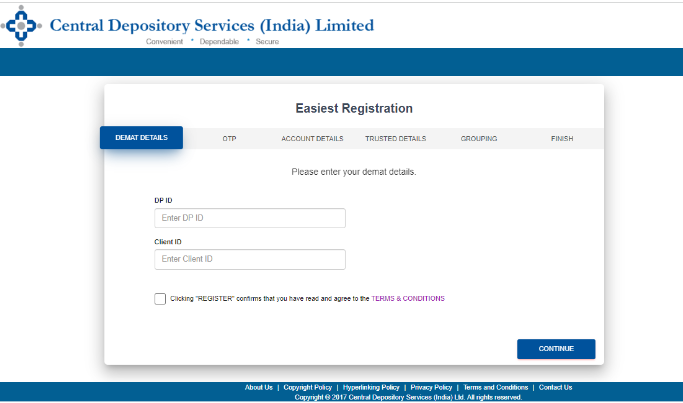
Input the 8-digit DP ID, followed by the 8-digit demat client ID or BO ID, and then click "Continue."
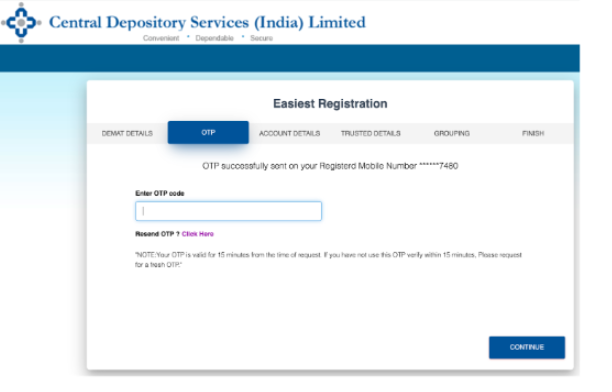
OTP: Fill out the OTP that was sent to the registered mobile phone, then click Continue.
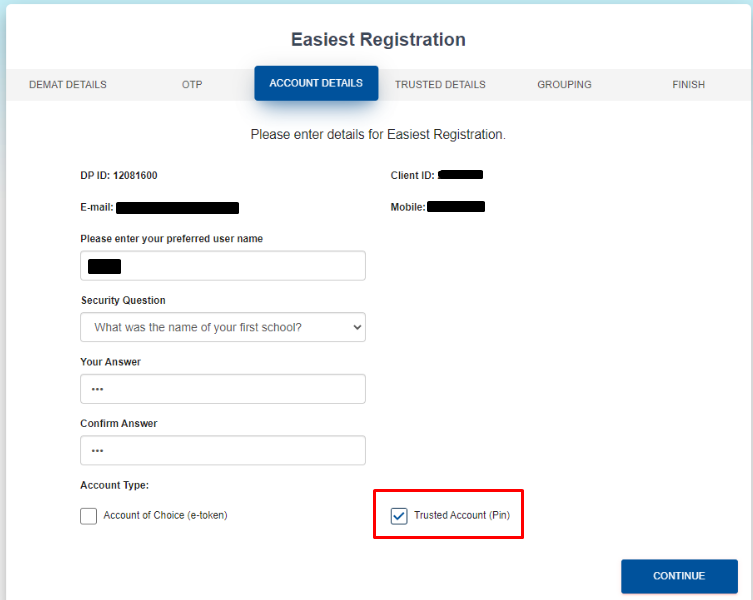
Account details:
Enter your chosen username.
Answer the security question.
Check the box labeled "Trusted Account."
Click "Continue" in the account information section.
There are two types of accounts:
Trusted Account Transfers:
You can transfer your securities to the four CDSL demat accounts of your choice. For extra security, you'll get a unique PIN sent in a separate email. You'll receive two emails, each with a unique password: one for logging in and the other for approving your transactions. These transfers are limited to the CDSL depository for safety.
Account of Choice Transfers (e-token):
This option allows you to transfer your securities between different demat accounts. It requires a Digital Signature Certificate (DSC) for security, which you can obtain from a Registered Authority (RA). To use this, as the account holder (BO), you need to submit a signed Easiest registration form (signed by all listed except if you're the sole holder) and another RA form to connect your DSC (e-token) to your DP for authentication. This method enables secure and flexible transfers between depositories like CDSL to CDSL and CDSL to NSDL.
_v1762004012370.png)
5. Trusted Account Details: Type the 16-digit demat ID of the CDSL account where the stocks must be transferred as the trusted account details and click Continue.
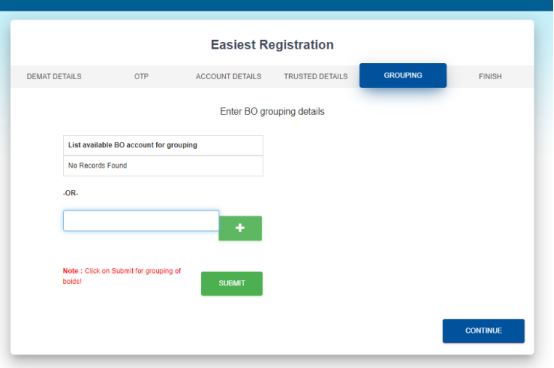
6. Grouping: You don't have to do this, but you can use this option to combine your existing CDSL demat accounts with other brokers. Just choose the BO ID and click "Continue" to add the current CDSL demat account as a trusted account. If not, you can skip this step by clicking "Continue" without selecting the BO ID.
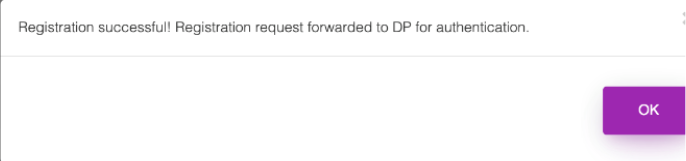
7. Finish: CDSL Easiest will be authorized for the BO ID after your demat account authenticates the registration. It can take up to 48 business hours to activate.
With this information, you're ready to make the most of CDSL Easiest, where things are easy and efficient. So, go ahead, manage your investments smoothly, and as always, precize here to solve any doubts you have regarding unlisted shares. Just tweet your queries.